
In this tutorial we demonstrate the calculation of Volume and Density of a metal cylinder using Polytech’s BT11 Teacher’s STEM Lab Kit.

Equipment
- BT11 Teacher’s STEM Lab Kit
- String
- 100g metal cylinder with hook
- Plastic ruler
- Windows PC
- iLab for Windows software
Resources

Safety Note
There are no special safety requirements for this experiment.
- Assemble the retort stand with two metal rods connected with a boss perpendicular to each other.
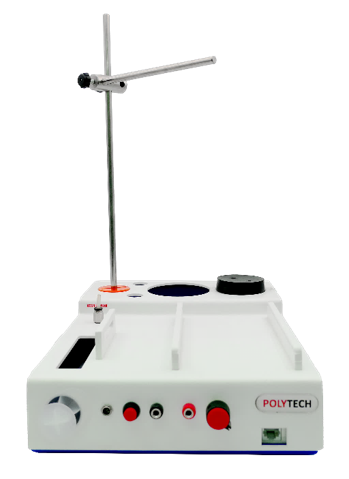
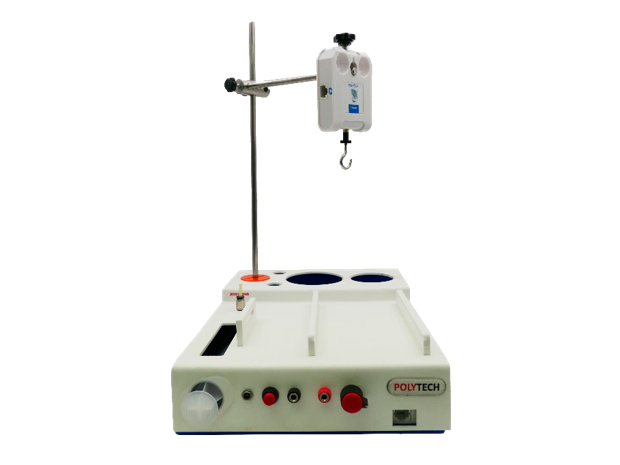
- Secure the force sensor vertically at the end of the horizontal rod with a downward direction.
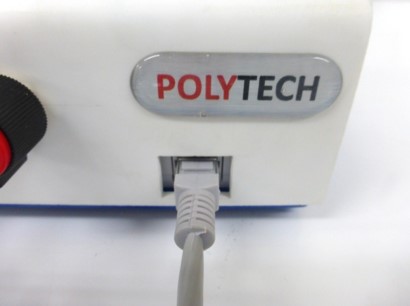
- Connect the force sensor to the BT11 with UTP cable.
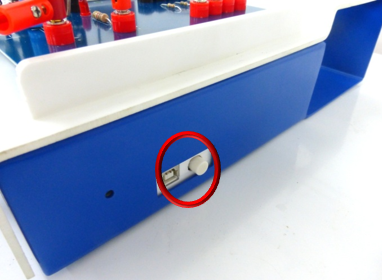
- Turn on the BT11 datalogger by pressing the button on the right side.
- Connect the BT11 to the computer with wireless connection. (For further instructions consult the “Operating BT11” manual).
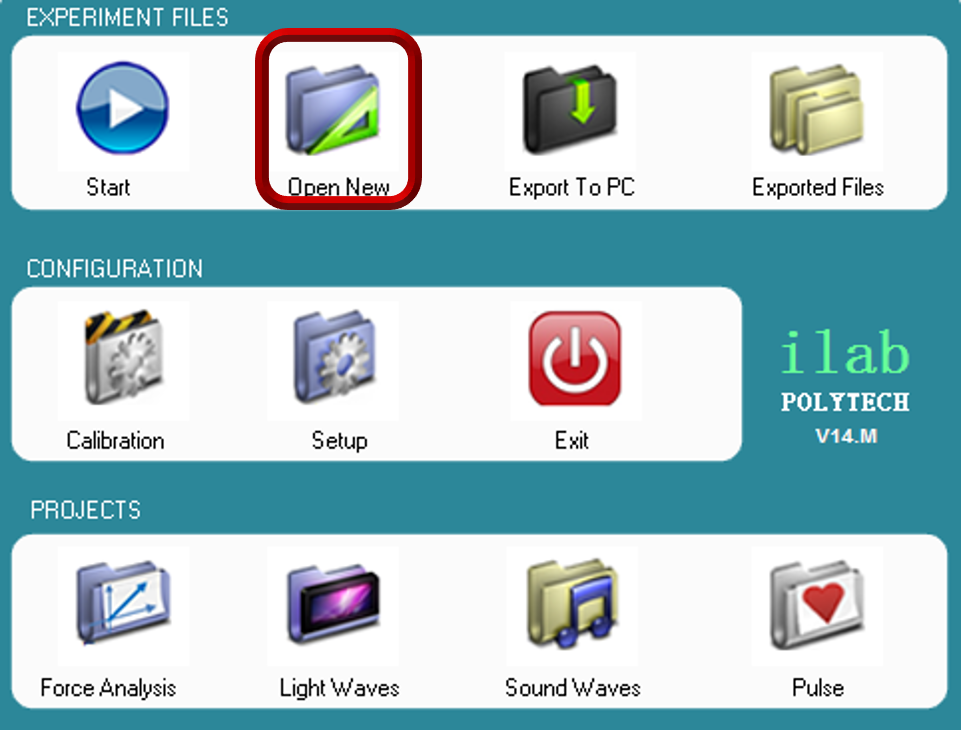
- Run the iLab software and
- extract the FR.P02.dis iLab Experiment File from the zip dowload and save it in your Lab PC
- on the main menu screen select “open new”
- select the FR.P02.dis iLab Experiment file
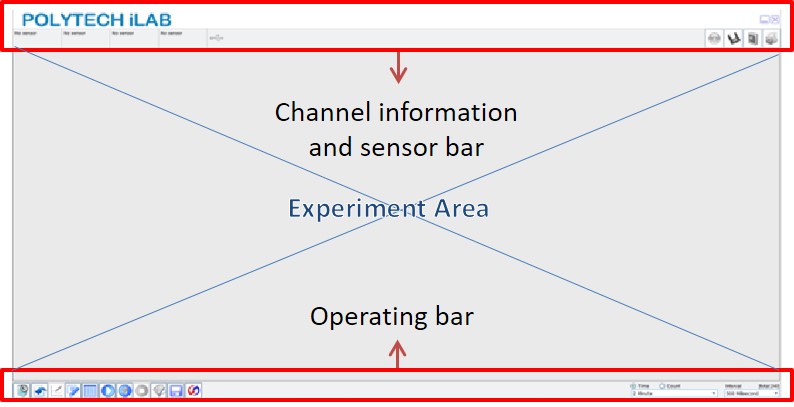
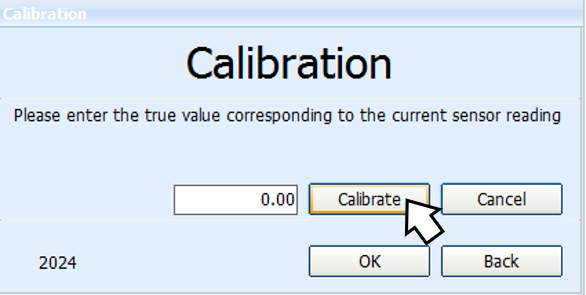
- The Force sensor should be calibrated before each experiment. In order to calibrate the sensor click the calibration button
 on the channel information bar.
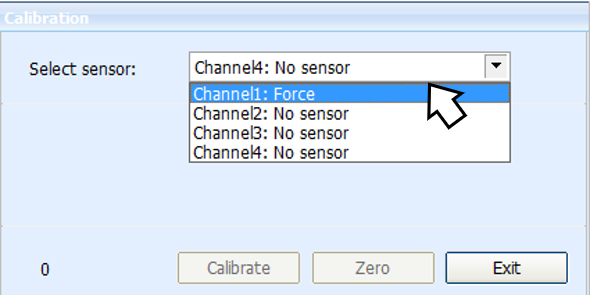
- The calibration will appear, select the “force sensor” at Channel 1 and click the “zero” button.
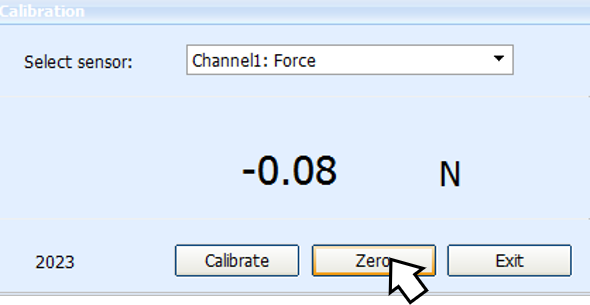
- To the next screen select the “Calibrate” button, click ok and you are ready to proceed the experiment.
- Whenever you’re ready click “Start (F6)”
 to start collecting data with the force sensor on your pc screen.
 - Then…
- Measure and note the radius (1.6cm) and height (1.7cm) of the metal cylinder using a ruler
- Hang the hooked metal cylinder with a string from the force sensor. Record the force needed to hold the weight on air (as shown in the picture)
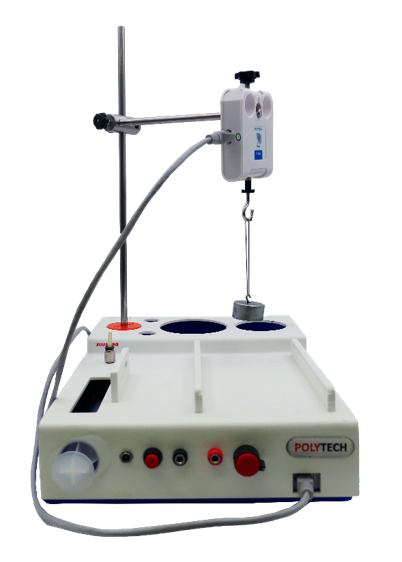
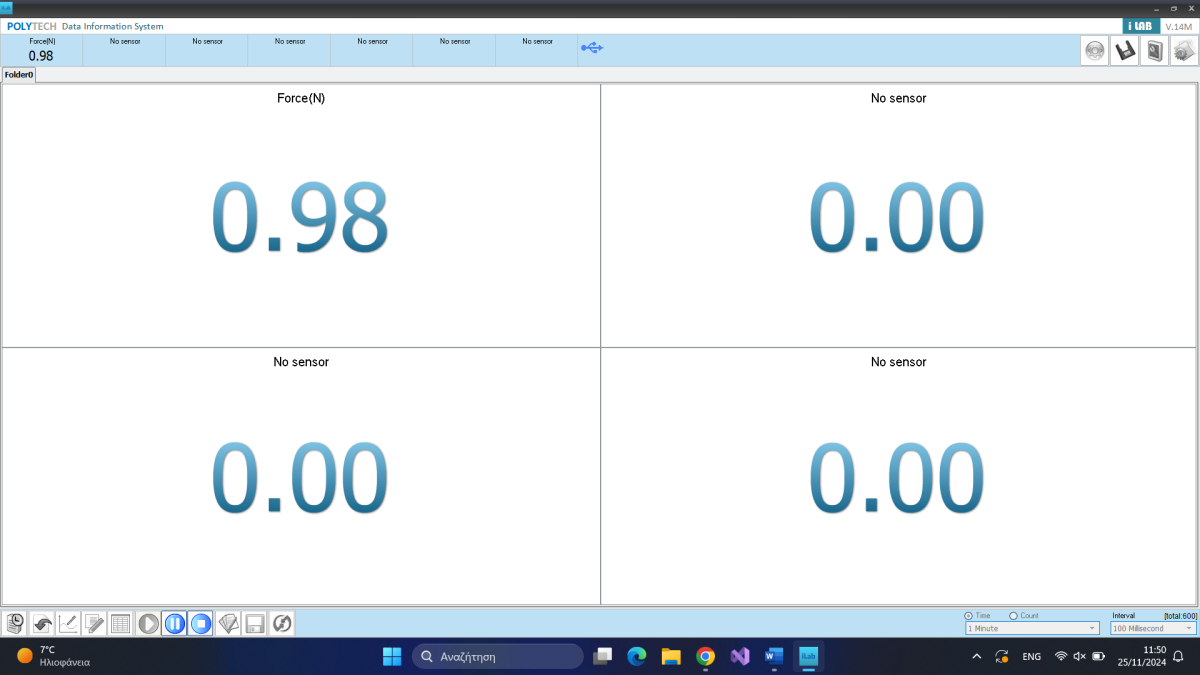
The force in Newtons (N) you just recorded represents the weight W of the mass of the rectangular cube. The mass is measured in kilograms (kg). Note that the metal hook and the string are considered weightless in this context. We know the relationship between force and mass is given by:
N = Kg × m/s2
- Calculate the object’s mass (m) in kilograms using earth’s gravitational acceleration (g) and the Weight (W) recorded from the Force sensor.
W = m × g ⤇ m = W/g
- W = 0.98 Kg × m/s2
- g = 9.81m/s2 (constant)
In this case:
m = 0.98 Kg × m/s2 / 9.81 m/s2 ⤇
m ≈ 0.10 Kg
- Convert the mass from kilograms (Kg) to grams (g) in order to use the density formula.
g = Kg / 1000 ⤇ Kg = 1000g
In this case:
m = 0.10 Kg ⤇ m = 0.10 × 1000g ⤇
m ≈ 100.00 g
- In order to calculate the density of the cylindrical object, you need to calculate its volume V.
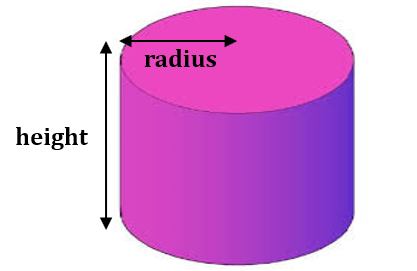
Volume calculation formula for a cylinder:
V= π × r2 × h
In this case:
- r = 1.6 cm
- h = 1.7 cm
- π = 3.14 (constant)
Therefore:
V= 3.14 × (1.6 cm)2 × 1.7 cm≈ 13.67cm3 or ml
- Calculate the density of the cylinder using the formula:
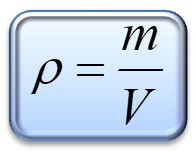
Our data:
m≈ 100.00 g
V≈ 13.67 cm3
Our calculations:
ρ = 100.00 g / 13.67 cm3 ≈ 7.31 g/cm3
- The density of Steel is around 7.7 to 7.9-8.0 g/cm3 depending on the alloy content.
- For example, low carbon steel, has a density of 7.87 g/cm3.
- A medium alloy carbon steel has a density of 7.75-7.89 g/cm3.
- Stainless steel has a density of approx 8.0 g/cm3.
End of tutorial