
In this tutorial we demonstrate the calculation of diffirent types of oscillations of a metal cylinder, using Polytech’s BT11 Teacher’s STEM Lab Kit.

Equipment
- BT11 Teacher’s STEM Lab Kit
- Metal cylinder 100gr with hook
- Spring
- 500ml plastic beaker with water
- Windows PC
- iLab for Windows software
Resources

Safety Note
There are no special safety requirements for this experiment.
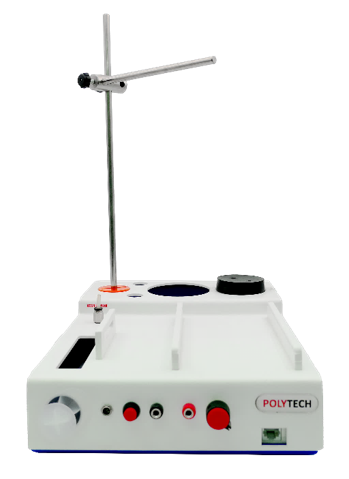
- Assemble the retort stand on the BT11A base with two metal rods connected with a boss perpendicular to each other.
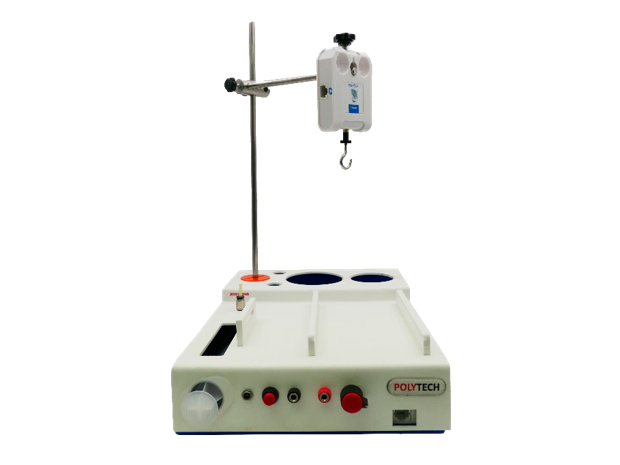
- Secure the force sensor vertically at the end of the horizontal rod with a downward direction.
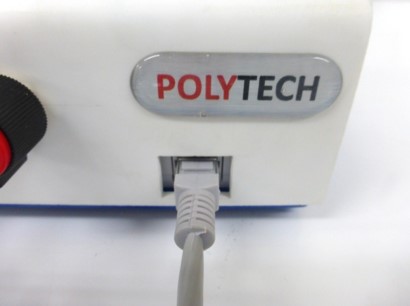
- Connect the force sensor to the BT11A with UTP cable.
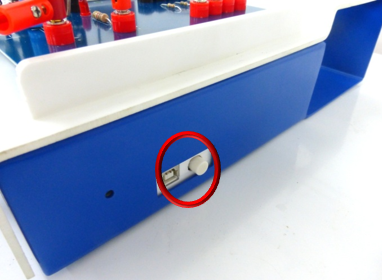
- Turn on the BT11A datalogger by pressing the button on the right side.
- Connect the BT11 to the computer with wireless connection. (For further instructions consult the “Operating BT11” manual).
- Run the iLab software and
- extract the FR.P02.dis iLab Experiment File from the zip dowload and save it in your Lab PC
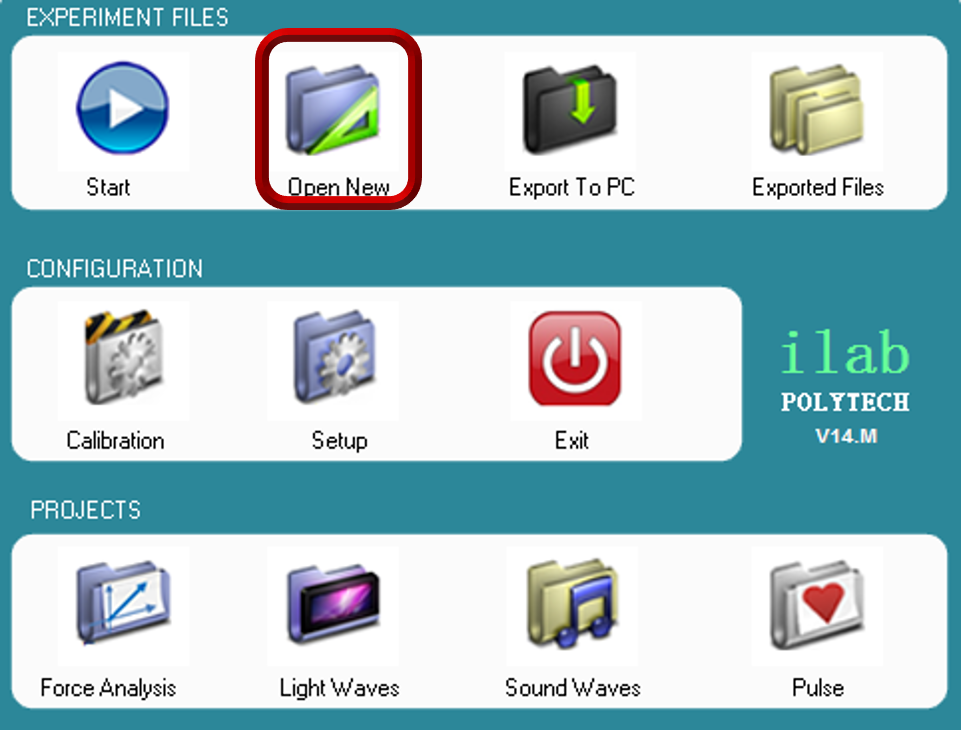
- on the main menu screen select “open new”
- select the FR.P02.dis iLab Experiment file
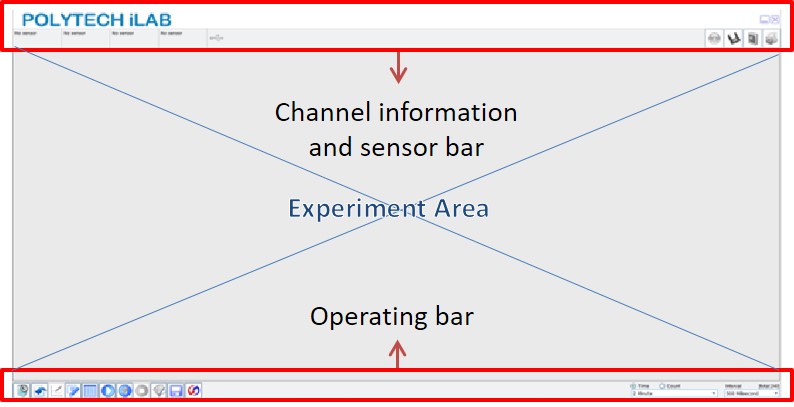
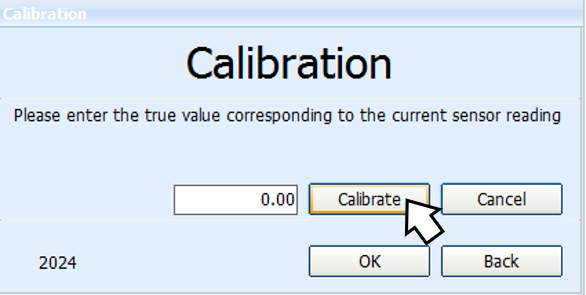
- The Force sensor should be calibrated before each experiment. In order to calibrate the sensor click the calibration button
 on the channel information bar.
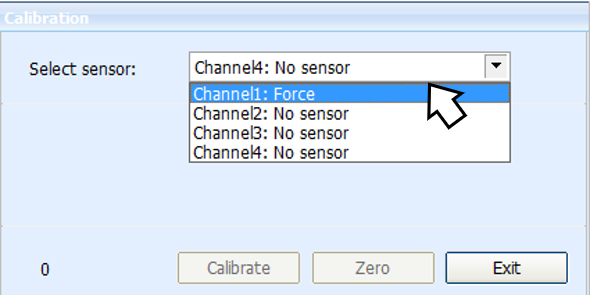
- The calibration will appear, select the “force sensor” at Channel 1 and click the “zero” button.
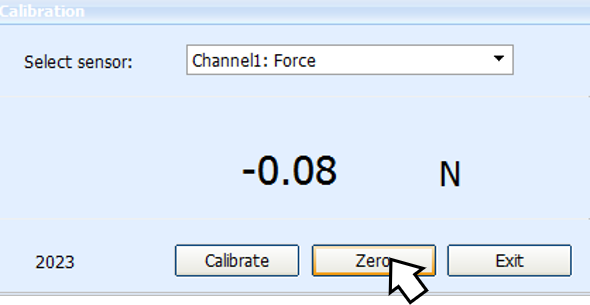
- To the next screen select the “Calibrate” button, click ok and you are ready to proceed the experiment.
- Whenever you’re ready click “Start (F6)”
 to start collecting data with the force sensor on your pc screen.
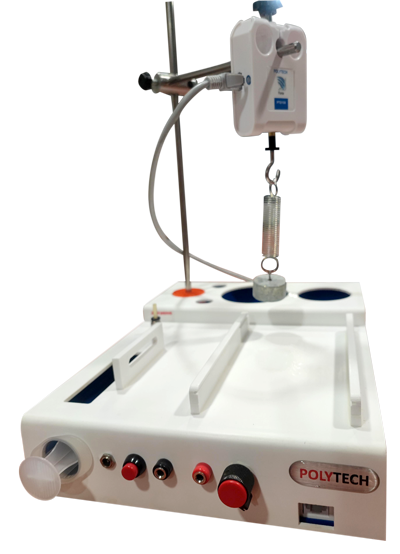
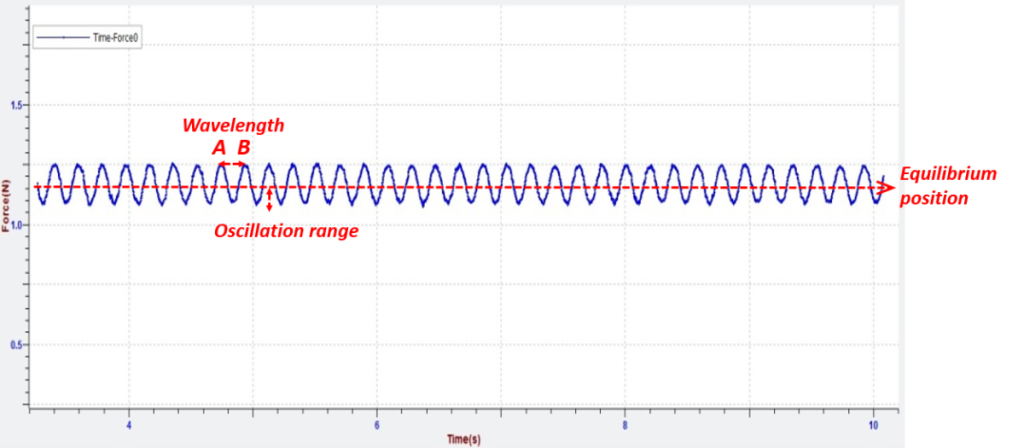
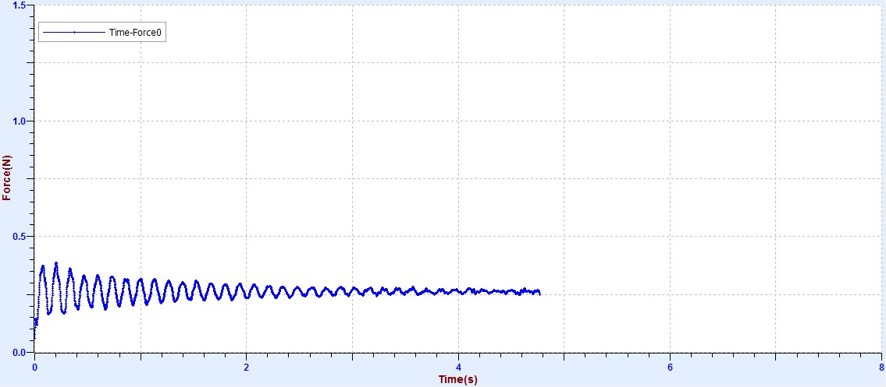
 - Hang the hooked metal cylinder with a spring at the force sensor. Let the mass to oscillate freely and click “start (F6)” to obtain the graph of force-time.
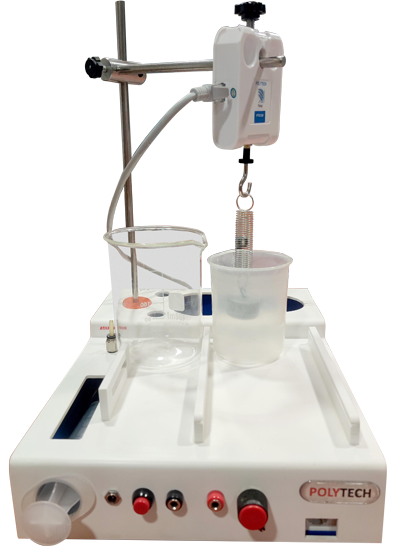
- Pour 350 ml of tap water into the 500 ml plastic beaker and position it under the sensor.
- Position exactly below the mass of 100g. Let the mass to oscillate in to the water.
End of tutorial